Microsoft Semantic Kernel: Build AI Agents Fast
Introduction
You’ve integrated an LLM API into your app. Calls work. Responses stream. And then your product manager asks: “Can the AI also check inventory, send a confirmation email, and log the result — all in one go?” Suddenly that clean API call becomes a spaghetti of prompt engineering, manual tool routing, and brittle glue code.
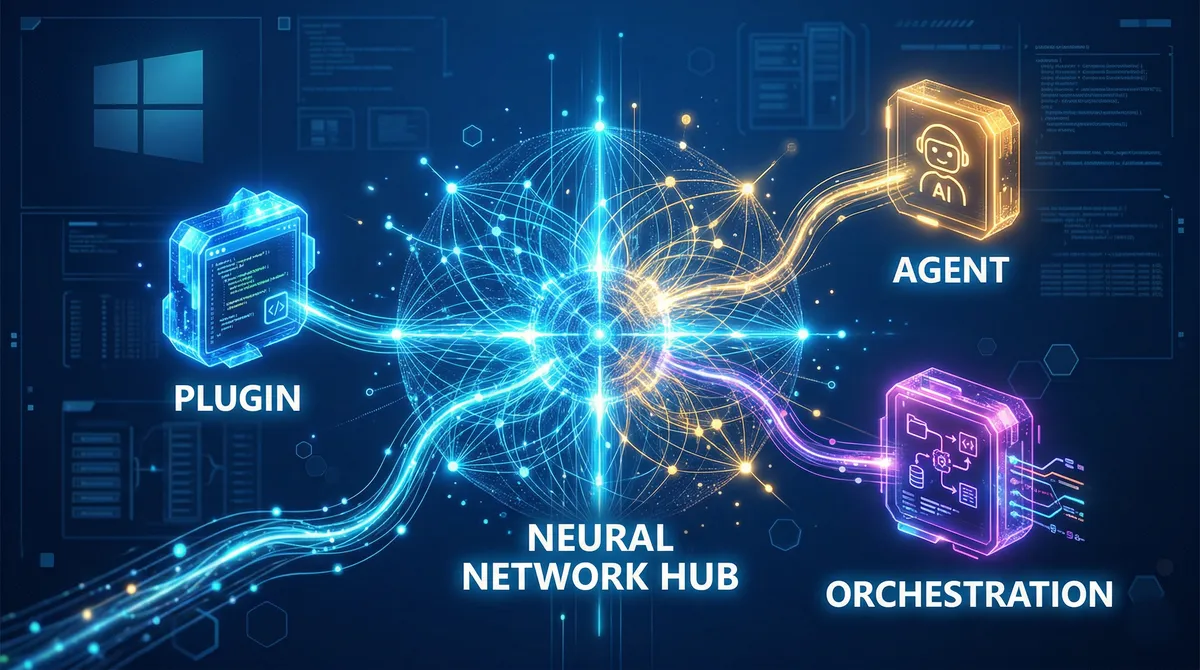
This is the exact problem Microsoft Semantic Kernel was built to solve. Rather than wiring up AI capabilities by hand, Semantic Kernel acts as the middleware layer between your application logic and any LLM — letting models call your existing functions, chain operations together, and behave like capable autonomous agents with minimal orchestration code on your end.
In this guide you’ll learn what Semantic Kernel is, how its core concepts fit together, and how to build a working plugin-powered agent in both Python and C#. We’ll also cover the most common pitfalls, and explain what the recent emergence of Microsoft Agent Framework means for projects you’re starting today.
Prerequisites
- Basic familiarity with C# (.NET 8+) or Python (3.10+)
- An OpenAI or Azure OpenAI API key
dotnetCLI orpipavailable in your environment- Comfort reading async/await code patterns
What Is Semantic Kernel?
Semantic Kernel (SK) is a lightweight, open-source SDK that lets you integrate large language models into C#, Python, or Java applications. Think of it as a dependency-injection container for AI: you register your services (LLM providers), your tools (plugins), and your configuration, and then the kernel routes model requests, function calls, and memory access automatically.
The framework was originally released by Microsoft in early 2023. It has since grown to over 27,000 GitHub stars as of March 2026, and is used in production by Microsoft itself and numerous Fortune 500 companies. Version 1.0+ across all three supported languages signals a stable, non-breaking API surface that enterprise teams can rely on.
Key capabilities at a glance:
- Model-agnostic — supports OpenAI, Azure OpenAI, Hugging Face, NVIDIA, and others through pluggable connectors
- Plugin system — wrap existing functions, REST APIs (via OpenAPI specs), or Model Context Protocol (MCP) servers as callable tools
- Multi-agent orchestration — coordinate specialist agents using Sequential, Concurrent, Handoff, Group Chat, and Magentic patterns
- Vector DB integration — built-in connectors for Azure AI Search, Elasticsearch, Chroma, Qdrant, and more for RAG workflows
- Enterprise-grade observability — telemetry hooks, filters, and logging at every layer
Core Concepts
The Kernel
The kernel is the central object in any SK application. It is a dependency injection container that holds all services (LLM connectors, embeddings) and all plugins (your callable functions). Nearly every operation in SK flows through the kernel.
// C# — .NET 8
using Microsoft.SemanticKernel;

var builder = Kernel.CreateBuilder();
builder.AddAzureOpenAIChatCompletion(
    deploymentName: Environment.GetEnvironmentVariable("AZURE_OPENAI_DEPLOYMENT"),
    endpoint:       Environment.GetEnvironmentVariable("AZURE_OPENAI_ENDPOINT"),
    apiKey:         Environment.GetEnvironmentVariable("AZURE_OPENAI_API_KEY")
);

Kernel kernel = builder.Build();
# Python — semantic-kernel 1.x
from semantic_kernel import Kernel
from semantic_kernel.connectors.ai.open_ai import AzureChatCompletion
kernel = Kernel()
kernel.add_service(
AzureChatCompletion(
deployment_name="your-deployment",
api_key="your-api-key",
base_url="https://your-endpoint.openai.azure.com/",
)
)Plugins and the @kernel_function Decorator
Plugins are groups of related functions exposed to the AI. In Python you mark a method with @kernel_function; in C# you annotate it with [KernelFunction]. The SDK automatically serialises these into JSON schemas and sends them to the model alongside each prompt.
from typing import Annotated
from semantic_kernel.functions import kernel_function

class OrderPlugin:
    @kernel_function(description="Returns the status of an order by ID.")
    def get_order_status(
        self,
        order_id: Annotated[str, "The unique order identifier"],
    ) -> str:
        # Real implementation would query a database
        return f"Order {order_id} is out for delivery."

    @kernel_function(description="Cancels an order that has not yet shipped.")
    def cancel_order(
        self,
        order_id: Annotated[str, "The unique order identifier"],
    ) -> str:
        return f"Order {order_id} has been cancelled."
Once registered with the kernel, the LLM can invoke these functions automatically when the user’s intent requires it — no manual routing logic needed.
Function Calling and FunctionChoiceBehavior
This is where Semantic Kernel shines — and where most beginners trip up. By default, models will not call your plugins unless you explicitly tell the kernel to allow it. The setting you want is FunctionChoiceBehavior.Auto():
// C#
using Microsoft.SemanticKernel.Connectors.OpenAI;

kernel.Plugins.AddFromType<OrderPlugin>("Orders");

var settings = new OpenAIPromptExecutionSettings
{
    FunctionChoiceBehavior = FunctionChoiceBehavior.Auto()
};

var result = await kernel.InvokePromptAsync(
    "What is the status of order #A42?",
    new KernelArguments(settings)
);

Console.WriteLine(result);
from semantic_kernel.connectors.ai.open_ai import OpenAIChatPromptExecutionSettings
from semantic_kernel.connectors.ai.function_choice_behavior import FunctionChoiceBehavior
from semantic_kernel.functions import KernelArguments
kernel.add_plugin(OrderPlugin(), plugin_name="Orders")
settings = OpenAIChatPromptExecutionSettings(
function_choice_behavior=FunctionChoiceBehavior.Auto()
)
result = await kernel.invoke_prompt(
"What is the status of order #A42?",
arguments=KernelArguments(settings=settings),
)
print(result)The Auto mode tells the model it is free to choose and invoke functions. Under the hood, SK serialises all available plugin functions, sends them to the model, captures any function call requests in the response, invokes the corresponding Python/C# methods, and feeds the results back to the model for a final answer — all automatically.
Here is a visual overview of how that loop works:
Building an Agent with Plugins
An agent in SK is a higher-level abstraction that wraps a kernel and adds persistent instructions, a name, and optional structured outputs. The ChatCompletionAgent class is the most common starting point.
import asyncio
from semantic_kernel.agents import ChatCompletionAgent
from semantic_kernel.connectors.ai.open_ai import AzureChatCompletion, OpenAIChatPromptExecutionSettings

async def main():
    settings = OpenAIChatPromptExecutionSettings(
        function_choice_behavior=FunctionChoiceBehavior.Auto()
    )

    agent = ChatCompletionAgent(
        service=AzureChatCompletion(),
        name="OrderAgent",
        instructions=(
            "You are an order management assistant. "
            "Always confirm actions before executing them."
        ),
        plugins=[OrderPlugin()],
        arguments=KernelArguments(settings=settings),
    )

    async for response in agent.invoke("Cancel order #B17 please."):
        print(response.message)

asyncio.run(main())
The equivalent C# version follows the same pattern: create a Kernel, add plugins, instantiate ChatCompletionAgent with instructions and settings, then iterate over responses.
Multi-Agent Orchestration
When a single agent is no longer enough, SK provides pre-built orchestration patterns through the Agent Orchestration framework.
from semantic_kernel.agents import ChatCompletionAgent
from semantic_kernel.agents.orchestration import SequentialOrchestration
from semantic_kernel.agents.runtime import InProcessRuntime

research_agent = ChatCompletionAgent(
    service=AzureChatCompletion(),
    name="Researcher",
    instructions="You gather facts from provided sources.",
)

writer_agent = ChatCompletionAgent(
    service=AzureChatCompletion(),
    name="Writer",
    instructions="You turn research notes into polished prose.",
)

orchestration = SequentialOrchestration(members=[research_agent, writer_agent])

runtime = InProcessRuntime()
runtime.start()

result = await orchestration.invoke(
    task="Write a 200-word summary of quantum computing for a general audience.",
    runtime=runtime,
)
print(await result.get())
await runtime.stop_when_idle()
Available orchestration patterns include Sequential (agents run one after another, output passes forward), Concurrent (agents run in parallel, results are aggregated), Handoff (agents delegate to each other based on intent), Group Chat (agents debate and refine), and Magentic (a research-inspired meta-agent coordinates the team dynamically).
Note on AgentGroupChat: The older
AgentGroupChatpattern has been deprecated. UseGroupChatOrchestrationfrom the new orchestration module instead.
Advanced Topics
RAG with Vector Memory
To ground your agent in your own data, register a vector store and retrieve relevant context before each LLM call:
from semantic_kernel.connectors.memory.chroma import ChromaMemoryStore
from semantic_kernel.memory import SemanticTextMemory

memory = SemanticTextMemory(
    storage=ChromaMemoryStore(persist_directory="./chroma_db"),
    embeddings_generator=kernel.get_service("embedding-service"),
)

# Index a document once
await memory.save_information(
    collection="product-docs",
    id="doc-001",
    text="Our return policy allows returns within 30 days of purchase.",
)

# At query time, retrieve top-k chunks
results = await memory.search("product-docs", "Can I return a product?", limit=3)
context = "\n".join(r.text for r in results)

# Inject context into the agent prompt
response = await kernel.invoke_prompt(
    f"Using this context:\n{context}\n\nAnswer: Can I return a product?",
    arguments=KernelArguments(settings=settings),
)
MCP Server Integration
SK 1.x supports exposing your kernel functions as a Model Context Protocol server — making them consumable by any MCP-compatible client:
server = kernel.as_mcp_server(server_name="order_management")
# Now other agents or tools can call your functions via MCP
Common Pitfalls and Troubleshooting
1. Plugins are registered but the model never calls them.
The most frequent issue. Make sure FunctionChoiceBehavior.Auto() is set in your PromptExecutionSettings. Without it, the model will answer in plain text without touching your tools.
2. Agent calls the wrong function or hallucinates a function name.
Function and parameter descriptions matter enormously — the model uses them to decide what to call. Write descriptions from the LLM’s perspective: describe when to call the function, not just what it does. Avoid vague names like process() or parameters named data.
3. Too many plugins overwhelm the model. Registering hundreds of functions in a single kernel degrades model reasoning. Group related functions by domain, assign them to separate agents, and use the orchestration layer to route requests appropriately.
4. Parallel tool calls cause race conditions. When using Azure OpenAI, the model may invoke multiple functions in parallel. If your functions share mutable state, disable parallel calling:
settings = OpenAIChatPromptExecutionSettings(
    function_choice_behavior=FunctionChoiceBehavior.Auto(),
    parallel_tool_calls=False,
)
5. Serialisation errors in chat history with complex return types.
Stick to primitive return types (str, int, simple dict) from @kernel_function methods. Complex objects may fail to serialise in the chat history round-trip.
What About Microsoft Agent Framework?
In October 2025 Microsoft announced Microsoft Agent Framework (MAF) — a new, unified successor that merges Semantic Kernel and AutoGen into a single SDK. As of February 2026, MAF has reached Release Candidate status for both .NET and Python, with GA targeted for Q1/Q2 2026.
Here is the practical guidance:
- Existing SK projects: Microsoft has committed to supporting Semantic Kernel v1.x for at least one year after MAF reaches GA. You are safe to keep shipping on SK today; a migration guide is available.
- New projects: If you can wait a few weeks for MAF to go GA, start there — it is the recommended path forward and has a simplified API that removes the need for
[KernelFunction]attributes and complexPromptExecutionSettingssetup. - Bridging the gap: The core concepts you learn in SK (plugins, function calling, agents, orchestration patterns) transfer directly to MAF. The mental model is the same; the APIs are cleaner.
Think of MAF as Semantic Kernel v2.0, built by the same team, incorporating everything the community has learned since 2023.
Conclusion
Semantic Kernel transforms the messy problem of LLM integration into a structured, production-ready pattern. The key takeaways:
- The Kernel is a DI container for AI services and plugins — configure it once, use it everywhere.
- Plugins with
@kernel_functionare the bridge between your code and the model’s reasoning. FunctionChoiceBehavior.Auto()is the setting that makes automatic tool use work — don’t forget it.- Multi-agent orchestration lets you compose specialist agents for complex workflows without custom routing code.
- Microsoft Agent Framework is the next chapter — SK knowledge transfers directly.
Next steps:
- Clone the official notebooks at
github.com/microsoft/semantic-kerneland run the00-getting-startednotebook - Explore the Agent Orchestration patterns documentation on Microsoft Learn
- If starting a greenfield project, evaluate Microsoft Agent Framework at
learn.microsoft.com/en-us/agent-framework
References:
- Microsoft Semantic Kernel Overview — https://learn.microsoft.com/en-us/semantic-kernel/overview/ — Core concepts, architecture overview, and enterprise feature summary.
- Semantic Kernel GitHub Repository — https://github.com/microsoft/semantic-kernel — Code samples, agent examples in C# and Python, and release notes.
- Function Calling with Chat Completion — https://learn.microsoft.com/en-us/semantic-kernel/concepts/ai-services/chat-completion/function-calling/ — Deep-dive on how function calling works under the hood in SK.
- Semantic Kernel Agent Orchestration — https://learn.microsoft.com/en-us/semantic-kernel/frameworks/agent/agent-orchestration/ — All orchestration patterns with code samples.
- Semantic Kernel and Microsoft Agent Framework — https://devblogs.microsoft.com/semantic-kernel/semantic-kernel-and-microsoft-agent-framework/ — Official guidance on the transition to MAF and long-term SK support commitments.