Threat Modeling: Best Practices and Methodologies
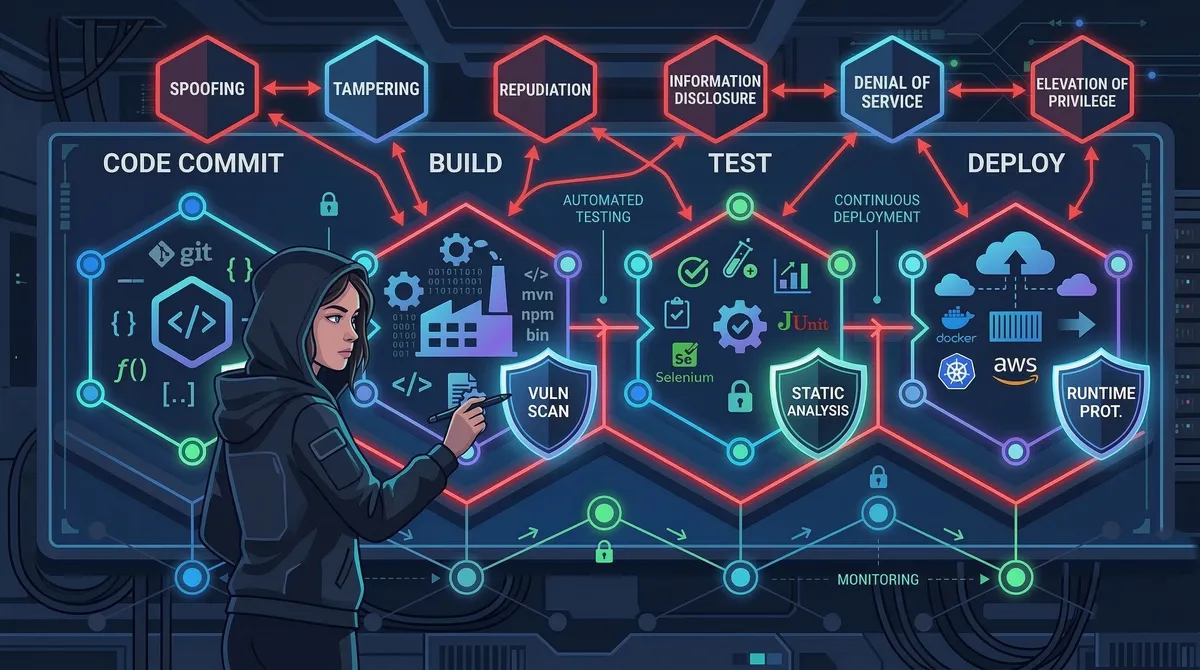
Introduction
Imagine deploying a feature on a Friday afternoon, only to discover on Monday morning that an attacker spent the weekend exfiltrating your users’ personal data through a misconfigured API endpoint you introduced in that very release. It’s a scenario that has played out at companies of every size — and it’s almost always preventable.
U.S. organizations paid an average of $10.22 million per data breach in 2025, and only 37% of organizations have formalized threat modeling processes — despite the fact that threat modeling is one of the highest-leverage investments a security-conscious team can make. When building a software-intensive system, a threat model expresses who might be interested in attacking your system, what effects they might want to achieve, when and where attacks could manifest, and how attackers might go about accessing the system.
In this article, you’ll learn how to choose the right threat modeling methodology for your context, how to integrate threat modeling into your CI/CD pipeline so it becomes a living practice rather than a one-time ritual, and how to avoid the pitfalls that cause most threat modeling programs to stall. Whether you’re a developer just getting started or a security engineer standardizing practices across a platform team, you’ll leave with concrete, actionable techniques.
Prerequisites
- Basic familiarity with software architecture concepts (APIs, databases, trust boundaries)
- Understanding of the software development lifecycle (SDLC)
- Some exposure to DevOps or CI/CD concepts (helpful but not required)
- No prior security experience needed — this guide explains terminology as it goes
What Threat Modeling Actually Is (and Isn’t)
Threat modeling is the procedure whereby a team evaluates its architecture, systems, and assets with the mindset of an attacker. The goal isn’t to compile an exhaustive inventory of every conceivable risk — the number one mistake is trying to apply threat modeling to everything at once. A team can spend weeks analyzing edge cases while a basic login flaw sits wide open.
A practical threat model answers four questions:
- What are we building? — a data flow diagram or architecture sketch
- What can go wrong? — threats identified via a structured methodology
- What are we going to do about it? — mitigations, accepted risks, and countermeasures
- Did we do a good enough job? — validation through review and testing
Risk assessment answers “what could go wrong and how bad would it be?” while threat modeling answers “how could an attacker exploit our system?” That attacker’s perspective is what distinguishes threat modeling from a generic risk register.
Data Flow Diagrams: The Foundation
Before you can find threats, you need to understand what you’re protecting. A data flow diagram (DFD) is the standard starting point. It maps five types of elements: processes (code that transforms or routes data), data stores (databases, caches, files), external entities (users, third-party services, partner systems), data flows (how data moves between the above), and trust boundaries — where data crosses from one security domain to another (e.g., from the internet into your VPC).
Trust boundaries are where most vulnerabilities live. An attacker trying to compromise your system will almost always try to exploit the transitions across these boundaries.
Here is a DFD for a simple profile photo upload feature:
The Major Methodologies
Threat modeling has typically been implemented using one of five approaches: asset-centric, attacker-centric, software-centric, value and stakeholder-centric, and hybrid. In practice, three methodologies dominate day-to-day engineering work.
STRIDE
STRIDE is a threat identification taxonomy originally developed at Microsoft in 1999. The acronym stands for:
| Letter | Threat | Example |
|---|---|---|
| S | Spoofing | An attacker impersonates a legitimate user |
| T | Tampering | Modifying data in transit or at rest |
| R | Repudiation | Denying an action without a verifiable audit trail |
| I | Information disclosure | Leaking sensitive data through error messages or logs |
| D | Denial of service | Exhausting resources so legitimate users can’t get through |
| E | Elevation of privilege | A low-privilege user gains admin access |
You apply STRIDE systematically to each element on your DFD. Every process, every data flow, every data store gets evaluated against each of the six threat categories. The result is a structured list of threats with clear categories, which makes prioritization and mitigation planning much more tractable.
Developers often appreciate STRIDE because it provides a checklist to work through systematically, making sure nothing is missed. The downside is that it can become time-consuming when applied to very large or complex systems, particularly if every component is analyzed in depth.
When to use STRIDE: Small-to-medium systems, application-layer security, teams new to threat modeling, or any context where you want a lightweight structured approach.
PASTA
The Process for Attack Simulation and Threat Analysis (PASTA) is a risk-focused 7-step methodology. Since PASTA focuses more on threats with the highest risk, it helps direct time and resources toward vulnerabilities that matter and gives less regard to threats with little impact. PASTA also gives more importance to business context than STRIDE.
The seven stages are:
- Define business objectives
- Define the technical scope
- Decompose the application
- Conduct a threat analysis
- Perform a vulnerability analysis
- Enumerate attack scenarios
- Risk and impact analysis
PASTA’s business-alignment makes it the preferred choice in regulated industries and enterprise environments where the security team needs to communicate risk in terms that resonate with leadership and compliance stakeholders.
When to use PASTA: Enterprise systems with complex compliance requirements, fintech, healthcare, or any scenario where you need to connect technical threats directly to business impact.
MITRE ATT&CK
MITRE ATT&CK is a globally accessible knowledge base of adversary tactics and techniques based on real-world observations. Unlike STRIDE and PASTA, ATT&CK is not a step-by-step methodology — it’s a reference library covering a wide range from initial access to data exfiltration. Mapping an organization’s potential attack surface against ATT&CK helps identify gaps in defenses and prioritize countermeasures.
When to use ATT&CK: Combine it with STRIDE or PASTA. Use STRIDE to generate your initial threat list, then map each threat to the relevant ATT&CK technique to get realistic, evidence-based attack scenarios and directly applicable mitigations.
Emerging: AI-Specific Threat Modeling
AI systems introduce unique challenges: nondeterminism requires reasoning about ranges of behavior rather than single outcomes; instruction-following bias makes models more susceptible to prompt injection and manipulation; and agentic systems can invoke APIs, persist state, and trigger workflows autonomously, allowing failures to compound across components.
MITRE ATLAS (Adversarial Threat Landscape for Artificial-Intelligence Systems) is modeled after ATT&CK and serves as the definitive framework for AI-specific threat modeling. As of October 2025, the framework contains 15 tactics, 66 techniques, 46 sub-techniques, 26 mitigations, and 33 real-world case studies. If your system uses LLMs, RAG pipelines, or autonomous agents, ATLAS should be part of your threat model.
The Threat Modeling Process: A Practical Walkthrough
Here is how a concrete threat modeling session flows, using a simple API service as an example.
Step 1: Define the Scope
Pick a single user story or feature to start — something bounded enough to complete in one or two hours. Trying to model an entire microservice architecture in a single session is a fast path to analysis paralysis.
Example scope: “Users can upload a profile photo.”
Step 2: Draw the Data Flow Diagram
[User Browser] ---(HTTPS)---> [API Gateway] ---(internal)---> [Upload Service]
                                                                      |
                                                               [S3 Bucket]
                                                                      |
                                                          [CDN / Image Resizer]
Mark trust boundaries: the boundary between the public internet and your API Gateway is one. The boundary between the API Gateway and internal services is another.
Step 3: Apply STRIDE to Each Element
For each element, ask: how could an attacker exploit this?
Upload Service — STRIDE analysis:

S — Spoofing:    Could an unauthenticated request upload as another user?
                 → Verify JWT on every upload request

T — Tampering:   Could a crafted filename overwrite existing objects?
                 → Generate server-side UUID keys; never use user-supplied filenames

R — Repudiation: If a malicious file is uploaded, can we trace it to the requester?
                 → Log user ID + request ID + S3 key on every upload

I — Info disc.:  Does the error response reveal the internal bucket path?
                 → Return generic 400/500; log details server-side only

D — DoS:         Could an attacker upload 10 GB files to exhaust storage?
                 → Enforce file size limit at API Gateway (e.g., 10 MB)

E — Elev. priv.: Could the upload trigger server-side code execution?
                 → Reject non-image MIME types; scan with libmagic, not just extension
Step 4: Prioritize and Assign
Not every threat needs immediate remediation. Use a simple risk matrix:
| Risk score | Formula | Action |
|---|---|---|
| 9 | High (3) × High (3) | Fix before release |
| 6 | Med (2) × High (3) | Fix in next sprint |
| 3 | Low (1) × High (3) | Document; fix when convenient |
Step 5: Document and Track
Store threat model artifacts alongside the code they describe. A Markdown file in the repo with a summary of threats, mitigations, and accepted risks is better than a stale PDF in a shared drive.
Integrating Threat Modeling into CI/CD
The traditional model — a one-time workshop at the start of a project — breaks down in agile environments. If you still run threat modeling as a one-time design activity, you’re missing the whole point of modern continuous delivery. The attack surface is always reshaping itself.
The solution is to make threat modeling lightweight, continuous, and automated wherever possible.
Threat Modeling as Code with pytm
pytm is a Python library that lets you define your system in code, then generate DFDs and threat lists automatically. This keeps threat models in sync with the codebase.
# threat_model.py
from pytm import TM, Server, Datastore, Dataflow, Boundary, Actor

tm = TM("Profile Upload Service")
tm.description = "Threat model for user profile photo upload"

# Define trust boundaries
internet = Boundary("Internet")
internal = Boundary("Internal Network")

# Define actors and components
user = Actor("User")
user.inBoundary = internet

api_gw = Server("API Gateway")
api_gw.inBoundary = internal
api_gw.isEncrypted = True

upload_service = Server("Upload Service")
upload_service.inBoundary = internal
upload_service.sanitizesInput = True

s3 = Datastore("S3 Bucket")
s3.inBoundary = internal
s3.isEncrypted = True
s3.storesSensitiveData = True

# Define data flows
upload_request = Dataflow(user, api_gw, "Upload Request")
upload_request.protocol = "HTTPS"
upload_request.isEncrypted = True

to_upload_svc = Dataflow(api_gw, upload_service, "Forwarded Upload")
to_s3 = Dataflow(upload_service, s3, "Store Image")

tm.process()  # generates DFD + threat list
Running python threat_model.py --report generates an HTML report listing all identified threats. Running with --dfd outputs a Graphviz diagram of your system.
Automating Checks in GitHub Actions
# .github/workflows/threat-model.yml
name: Threat Model Analysis

on:
  push:
    paths:
      - 'threat_model.py'
      - 'src/**.py'
  pull_request:
    branches: [main]

jobs:
  threat-model:
    runs-on: ubuntu-latest
    steps:
      - uses: actions/checkout@v4

      - name: Set up Python 3.12
        uses: actions/setup-python@v5
        with:
          python-version: '3.12'

      - name: Install pytm
        run: pip install pytm

      - name: Run threat model analysis
        run: |
          python threat_model.py --report --output report.html
          python threat_model.py --json > threats.json

      - name: Fail on HIGH severity unmitigated threats
        run: |
          python - <<'EOF'
          import json, sys
          with open("threats.json") as f:
              threats = json.load(f)
          high_unmitigated = [
              t for t in threats
              if t.get("severity") == "HIGH" and not t.get("mitigated")
          ]
          if high_unmitigated:
              print(f"FAIL: {len(high_unmitigated)} unmitigated HIGH threats:")
              for t in high_unmitigated:
                  print(f"  - {t['name']}: {t['description']}")
              sys.exit(1)
          print("All HIGH threats are mitigated.")
          EOF

      - name: Upload threat report
        uses: actions/upload-artifact@v4
        with:
          name: threat-model-report
          path: report.html
This pipeline runs on every push that touches the threat model or source code. It fails the build if there are unmitigated HIGH-severity threats, creating a hard gate before merge.
When to Refresh Your Threat Model
Threat modeling should be revisited whenever there are changes to system architecture, significant new features, or emerging threats requiring re-evaluation. Practically, this means:
- Before any new external-facing API endpoint ships
- When a new third-party integration is added
- After a significant infrastructure change (e.g., moving to a new cloud service)
- After any security incident, even a minor one
Advanced Topics
Cross-Functional Participation
Effective threat modeling relies on input from a range of stakeholders: security teams bring knowledge of threats and vulnerabilities; engineering understands architecture and practical constraints; product management ensures risk mitigations align with business goals; legal and compliance ensures regulations like GDPR, HIPAA, and PCI DSS are considered.
A 30-minute sprint-planning slot once per sprint — focused on the features being built that sprint — is often more effective than a quarterly all-hands threat modeling workshop.
Privacy-Focused Threat Modeling with LINDDUN
For systems that handle personal data, STRIDE alone is insufficient. LINDDUN is a complementary methodology that systematically identifies privacy threats: Linkability, Identifiability, Non-repudiation, Detectability, Disclosure of information, Unawareness, and Non-compliance. NIST recognizes LINDDUN in its Privacy Framework for providing systematic support in eliciting and mitigating privacy threats in software architectures.
Continuous Cloud Threat Modeling
Cloud threat models must reflect ephemeral infrastructure, shared responsibility, and provider-specific services, resulting in a living view of the system that updates when services and identities change. The CSA Cloud Threat Modeling 2025 publication recommends feeding infrastructure-as-code changes (Terraform, CloudFormation) directly into your threat model, so that infrastructure drift is automatically surfaced as a potential threat change.
The full threat modeling lifecycle looks like this:
Common Pitfalls and Troubleshooting
Pitfall: Boiling the ocean. Trying to apply threat modeling to everything at once is overwhelming and ineffective. Start with a single user story, build the muscle, then expand scope incrementally.
Pitfall: Treating it as a one-time audit. A threat model that lives in a PDF and is never updated is security theater. Anchor it to your version control system and build in triggers for refresh.
Pitfall: Security team as sole owner. When threat modeling is owned entirely by the security team, developers see it as an external review process rather than something they’re part of. Embed security champions in feature teams and make threat modeling a design-phase activity, not a pre-launch gate.
Pitfall: Ignoring accepted risks. Not every threat needs a fix right now. Explicitly documenting accepted risks — with a rationale and an owner — is far better than leaving them undocumented. Undocumented risks become forgotten risks.
Pitfall: Forgetting AI components. NSA and CISA issued joint guidance in May 2025 requiring organizations to conduct data security threat modeling and privacy impact assessments at the outset of any AI initiative. If your system uses any AI/ML components, include MITRE ATLAS alongside STRIDE in your methodology.
Troubleshooting: “We always run out of time during sessions.” Timebox aggressively: 30 minutes for DFD, 30 minutes for STRIDE, 15 minutes for prioritization. Use a template so you’re not starting from scratch each sprint. The goal is a good-enough model, not a perfect one.
Troubleshooting: “Developers don’t engage.” Start small and specific — focus on the feature being worked on rather than the entire system. When developers see threat modeling catch a real bug before it ships, buy-in follows naturally.
Conclusion
Threat modeling is one of the highest-return security investments a team can make — not because it catches every vulnerability, but because it systematically shifts security thinking to the point in the development lifecycle where change is cheapest and most effective.
Key takeaways: start with STRIDE for its structured, developer-friendly checklist; layer in PASTA or ATT&CK as your systems grow in complexity or regulatory scope; make threat modeling continuous by embedding it in sprint planning and automating what you can with pytm and GitHub Actions; include all stakeholders — security, engineering, product, and legal each bring a perspective that catches different threat classes; and treat accepted risks as first-class artifacts by documenting them, owning them, and revisiting them.
Next steps for further learning:
- OWASP Threat Dragon — free, open-source threat modeling tool with DFD support
- MITRE ATT&CK Navigator — visual tool for mapping ATT&CK coverage
- pytm on GitHub — threat modeling as code
- Threat Modeling: Designing for Security by Adam Shostack — the definitive book on the subject
References:
- Practical DevSecOps — https://www.practical-devsecops.com/threat-modeling-best-practices/ — Best practices overview, STRIDE/PASTA breakdown, agile integration guidance (updated January 2026)
- ISACA White Paper: Threat Modeling Revisited (2025) — https://www.isaca.org/resources/white-papers/2025/threat-modeling-revisited — Enterprise threat modeling framework and common mistakes
- Fidelis Security — https://fidelissecurity.com/cybersecurity-101/threat-detection-response/threat-modelling-techniques/ — 2025 breach cost statistics, AI threat modeling context, LINDDUN and MITRE ATLAS coverage
- Carnegie Mellon SEI — https://www.sei.cmu.edu/blog/stop-imagining-threats-start-mitigating-them-a-practical-guide-to-threat-modeling/ — Practical guide to threat modeling (May 2025)
- Cloud Security Alliance — https://cloudsecurityalliance.org/blog/2025/11/20/it-s-time-to-make-cloud-threat-modeling-continuous — Cloud Threat Modeling 2025 guidance on continuous threat modeling
- Microsoft Security Blog — https://www.microsoft.com/en-us/security/blog/2026/02/26/threat-modeling-ai-applications/ — AI-specific threat modeling guidance (February 2026)
- Vectra AI / MITRE ATLAS — https://www.vectra.ai/topics/mitre-atlas — MITRE ATLAS framework overview as of October 2025