Custom Skills and Rules for Claude Code
Introduction
Every developer has been there: you open a new Claude Code session, and within five messages you’ve already spent half your tokens re-explaining your stack, your conventions, and that one quirk about how your team handles error types. It’s not a bug — it’s the nature of stateless AI sessions. But it is entirely fixable.
Claude Code ships with two powerful customization mechanisms that, used together, eliminate this repetition entirely: CLAUDE.md rules and custom skills. Rules are the persistent “memory card” that Claude reads before every session. Skills are reusable, modular instruction packages that Claude loads automatically when the work calls for them. Together they transform a general-purpose AI into a specialist that already knows your codebase, your conventions, and your workflows before you’ve typed a single prompt.
This guide walks you through both systems from scratch. By the end, you’ll have a working CLAUDE.md, your first custom skill, and a mental model for knowing which mechanism belongs where. No prior configuration experience required — just a working Claude Code installation.
Prerequisites
- Claude Code installed and authenticated (
npm install -g @anthropic-ai/claude-code) - Basic familiarity with Markdown and YAML syntax
- A project directory to experiment in
- Claude Code on any plan (Free, Pro, Max, Team, or Enterprise)
Understanding the Two Systems
Before writing a single line, it helps to understand the difference between rules and skills — because conflating them is the most common mistake developers make.
CLAUDE.md is a Markdown file that Claude reads at the start of every session. Think of it as the permanent briefing you’d give a new contractor on their first day: here’s the stack, here’s the architecture, here’s how we run tests. It’s always loaded, always present, and always consuming context. That last point matters: because it’s always loaded, it should be ruthlessly concise.
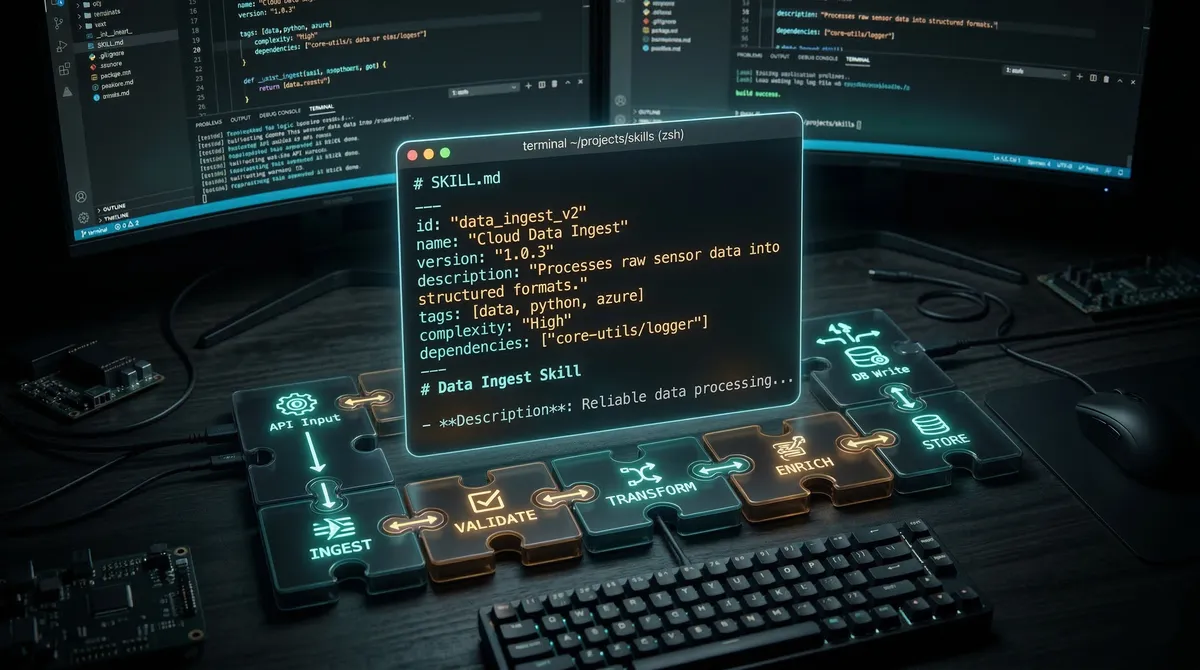
Skills (SKILL.md files) work differently. Only the skill’s name and a one-paragraph description are loaded at startup — roughly 50–100 tokens. Claude reads the full SKILL.md only when a task matches the skill’s description. This “progressive disclosure” design means you can maintain dozens of skills without polluting your context window on every session.
The mental model: CLAUDE.md tells Claude who it’s working with and what the project is. Skills tell Claude how to do specific tasks well.
Writing an Effective CLAUDE.md
Claude Code looks for CLAUDE.md in three locations, loaded in priority order:
~/.claude/CLAUDE.md— your personal global rules, applied to every project./CLAUDE.md— the project root file, committed to version control and shared with your team./.claude/CLAUDE.md— an alternative project-level locationCLAUDE.local.md— your personal project notes that should stay out of git
Start with the project-level file. Here’s a realistic example for a TypeScript/Next.js project:
## Project Overview
E-commerce storefront. Next.js App Router + TypeScript + Supabase + Tailwind.
Monorepo: apps/web (storefront), apps/admin (dashboard), packages/db (Drizzle schemas).

## Stack
- Runtime: Bun (not Node). Use `bun run` not `npm run`.
- DB: Drizzle ORM. Schemas in packages/db/schema/. Run migrations with `bun db:migrate`.
- Auth: Supabase Auth. Never bypass RLS — use the service role only in Edge Functions.
- Components: shadcn/ui. Add new components with `bunx shadcn@latest add <component>`.

## Testing
Run: `bun test` (Vitest). New components require a corresponding `.test.tsx` file.
Check types: `bun typecheck`. Always run both before marking a task done.

## Key Patterns
- State: Zustand stores in apps/web/src/stores/. See UserStore for the pattern.
- API routes: Next.js Route Handlers in app/api/. Return consistent shapes — see lib/api.ts.
- For complex DB queries, see packages/db/queries/ before writing new ones.
This file clocks in at under 200 words. That’s intentional. Research into LLM instruction-following shows that models reliably attend to roughly 150–200 instructions in a session; Claude Code’s own system prompt already uses about 50. Every line you add to CLAUDE.md competes with those limits.
What belongs in CLAUDE.md
The framework is simple: What, Why, and How.
What is the project — stack, architecture, key directories. Why explains purpose and constraints (“Never bypass RLS” with context). How covers operational details: how to run tests, how to install packages, how to format code.
What does NOT belong in CLAUDE.md
Resist the urge to include code style guidelines. LLMs are in-context learners — if your codebase already follows a pattern, Claude will discover and follow it by reading your files. Encoding those patterns explicitly in CLAUDE.md just wastes tokens. Similarly, avoid highly specific instructions that only apply to one type of task (like database schema conventions) — those belong in a skill.
A useful test: if the instruction only matters for a subset of tasks, it belongs in a skill, not CLAUDE.md.
Building Your First Custom Skill
Skills live in one of two locations:
~/.claude/skills/<skill-name>/SKILL.md— personal skills, available across all projects.claude/skills/<skill-name>/SKILL.md— project skills, version-controlled and shared
Each skill is a directory. The only required file is SKILL.md. Optional directories include scripts/ (executable code Claude can run), references/ (documentation Claude loads on demand), and assets/ (templates and supporting files).
Here’s the minimal SKILL.md structure:
---
name: skill-name
description: What this skill does and when to use it. Be specific — this is how Claude decides whether to load the skill.
allowed-tools: Read, Write, Bash  # optional: restrict which tools this skill can use
---

# Skill Name

Instructions in plain Markdown. Claude follows these when the skill is active.
The name field becomes the /slash-command you can invoke directly. The description is the critical field — Claude uses it to decide whether to load the skill automatically, without any prompt from you.
A Practical Example: Conventional Commits
Let’s build a skill that generates well-structured git commit messages. Create .claude/skills/commit-helper/SKILL.md:
---
name: commit-helper
description: Generates conventional commit messages by analyzing staged git changes. Use when the user asks for help writing a commit message, wants to commit, or has just finished implementing a feature or fix.
allowed-tools: Bash, Read
---

# Commit Message Helper

Generate commit messages following the Conventional Commits specification.

## Workflow

1. Run `git diff --staged` to see what's changed
2. Run `git status` to identify affected files and modules
3. Determine the commit type:
   - `feat`: new capability or behavior
   - `fix`: bug correction
   - `docs`: documentation only
   - `refactor`: restructuring without behavior change
   - `test`: adding or fixing tests
   - `chore`: build, deps, tooling
4. Identify the scope (affected component, e.g., `auth`, `api`, `ui`)
5. Check for breaking changes (API signature changes, config format changes)
6. Generate the message

## Format
<body: explain WHY, not what — wrapped at 72 chars>
<footer: BREAKING CHANGE: …, Closes #123>
## Examples

**Feature addition:**
feat(auth): add OAuth2 PKCE flow for mobile clients
Replaces implicit flow which is deprecated in OAuth 2.1. Mobile clients now receive short-lived tokens exchanged server-side.
Closes #412
**Breaking change:**feat(api)!: change user endpoint response shape
BREAKING CHANGE: /api/users now returns { data: User[] } instead of User[]. Update all consumers before deploying.
## Edge Cases

- No staged changes: inform the user and suggest `git add`
- Large changesets affecting multiple concerns: suggest splitting into atomic commits
- Merge commits: use standard `Merge branch 'x' into 'y'` format
Now test it. Start Claude Code and run /commit-helper, or simply say “I’m ready to commit my changes” — Claude will recognize the context and invoke the skill automatically.
A More Advanced Example: Test Generator
For skills that benefit from supporting files, use the multi-file structure:
.claude/skills/test-generator/
├── SKILL.md          ← main instructions
├── examples/
│   └── sample.test.ts  ← example output format
└── references/
    └── testing-patterns.md  ← detailed patterns Claude loads on demand
---
name: test-generator
description: Generates comprehensive unit tests for TypeScript functions and classes. Use when the user asks to write tests, wants test coverage for a function, or says "add tests for this".
allowed-tools: Read, Write, Bash
---
# Test Generator
Generate comprehensive Vitest unit tests targeting 80%+ coverage.
## Workflow
1. Read the target file to understand the function signature and implementation
2. Identify test scenarios:
- Happy path: typical inputs producing expected outputs
- Edge cases: empty inputs, boundary values, type coercion
- Error cases: invalid inputs, thrown exceptions
3. Check `examples/sample.test.ts` for the expected output format
4. Generate the test file at `<original-file>.test.ts`
5. Run `bun test <test-file>` and fix any failures
## Standards
- Minimum 80% code coverage
- Descriptive test names: "returns discount of 10% for standard tier"
- Mock external dependencies with `vi.mock()`
- Use `describe` blocks grouped by scenario categoryThe examples/sample.test.ts file gives Claude a concrete pattern to follow without bloating the main SKILL.md. Claude loads it only when generating tests — other sessions pay zero token cost for it.
Controlling Skill Invocation
By default, Claude decides when to invoke a skill based on the description. Two frontmatter flags let you override this behavior:
# Only you can invoke this skill — Claude won't trigger it automatically.
# Use for skills with side effects (deployments, API calls, git pushes).
disable-model-invocation: true

# Only Claude can invoke it — no slash command available to the user.
# Use for background knowledge you want applied automatically.
user-invocable: false
A good rule of thumb: anything with side effects (pushing to git, calling an API, running migrations) should have disable-model-invocation: true. You want to consciously choose to run /deploy, not have Claude decide to deploy because you mentioned “ship this feature.”
For read-only research skills or convention guides, omit both flags. Let Claude decide when domain expertise is relevant.
Running Skills as Subagents
For research tasks that involve heavy file exploration, you can run a skill in an isolated subagent — preserving your main context window:
---
name: deep-research
description: Research a topic thoroughly, exploring the codebase and documentation. Use when the user asks to understand how something works or investigate a problem.
context: fork
agent: Explore
allowed-tools: Read, Grep, Glob
---

Research $ARGUMENTS thoroughly:
1. Find relevant files using Glob and Grep
2. Read and analyze the code
3. Return a summary with specific file references
The context: fork setting spins up an isolated Explore subagent. It reads files, then returns a summary — without any of that file-reading traffic landing in your main conversation context.
The Skill Description is Everything
Claude chooses skills based on name and description alone. The description must answer two questions: what does this skill do, and when should it activate?
A weak description leads to under-triggering — Claude won’t use the skill even when it’s perfect for the task. The Anthropic skill-creator skill notes that Claude has a tendency to under-trigger, so lean toward specificity and provide concrete trigger phrases.
Compare these two descriptions for a database migration skill:
# Weak — too vague
description: Helps with database operations.

# Strong — tells Claude exactly when to activate
description: Runs and validates Drizzle ORM database migrations. Use when the user
  asks to add a migration, run migrations, modify the database schema, or when
  implementing features that require new tables or columns.
The strong description includes the tool name (Drizzle ORM), the action verbs users commonly use, and concrete task contexts. Write your descriptions for a reader who has no idea what your project does.
Common Pitfalls and Troubleshooting
Skill not triggering automatically. The description isn’t matching the task context. Make it more specific and include the exact verbs and nouns users would use. You can always invoke it directly with /skill-name while iterating.
Claude ignoring CLAUDE.md rules. Your file is probably too long. Frontier models can follow roughly 150–200 instructions consistently, and Claude Code’s system prompt already uses ~50 of those slots. Prune ruthlessly: if Claude already does something correctly without an instruction, delete it. If an instruction only applies to specific tasks, move it to a skill.
SKILL.md is slowing down responses. Your skill file has grown too large. Move detailed reference documentation to references/ sub-files and link to them from SKILL.md. Keep the main file under 500 lines, and under 5,000 tokens.
Context window degrading mid-session. At 70% context usage, Claude starts losing precision. At 85%, quality drops noticeably. Use /compact proactively when switching tasks, not reactively when things break. Avoid putting long reference documents in CLAUDE.md — use skills’ progressive disclosure instead.
Skill conflicts. Two skills giving contradictory instructions. Keep skills focused on a single capability. If they overlap, consolidate or add explicit priority guidance in CLAUDE.md (“For database tasks, prefer the db-migrations skill over general patterns”).
Skill triggering too broadly. Add disable-model-invocation: true and invoke manually, or narrow the description to exclude tasks where you don’t want automatic activation.
Conclusion
The combination of CLAUDE.md rules and custom skills represents a genuine shift in how you work with AI coding tools — from re-explaining context every session to building a persistent, intelligent workflow layer that grows with your project.
Start with a lean CLAUDE.md covering the project essentials: stack, key commands, architecture. Then identify the two or three tasks where you constantly re-explain yourself (commit messages, test generation, code review checklists) and package each one as a skill. You’ll recover those token-heavy setup conversations and get a Claude that feels like it actually knows your project.
From there, iterate. Skills are living documents — as your conventions evolve, update the skill. As you discover new patterns, add them. The investment compounds: the better your skills get, the less you ever need to prompt.
The broader ecosystem is moving fast. As of March 2026, over 277,000 developers have installed Anthropic’s official frontend-design skill, and a community library maintains 1,200+ cross-platform skills following the open SKILL.md standard. Your custom skills will work not just in Claude Code, but across any AI coding tool that adopts the standard.
References:
- Extend Claude with Skills — https://code.claude.com/docs/en/skills — Official Claude Code documentation on skill structure, frontmatter fields, and invocation modes
- Agent Skills Best Practices — https://platform.claude.com/docs/en/agents-and-tools/agent-skills/best-practices — Anthropic’s authoring guidelines including description writing, context efficiency, and model compatibility
- Writing a Good CLAUDE.md — https://www.humanlayer.dev/blog/writing-a-good-claude-md — HumanLayer’s analysis of instruction-following limits and CLAUDE.md structural recommendations
- Claude Code Skills: Complete Developer Guide (2026) — https://fp8.co/articles/Claude-Code-Skills-Complete-Developer-Guide — Comprehensive skill examples including commit helper, test generator, and documentation generator patterns
- Essential Claude Code Skills and Commands — https://batsov.com/articles/2026/03/11/essential-claude-code-skills-and-commands/ — Practical guide on invocation control flags,
$ARGUMENTS, and skill-vs-command migration