Mastering AI Image Prompts: From Beginner to Pro
Introduction
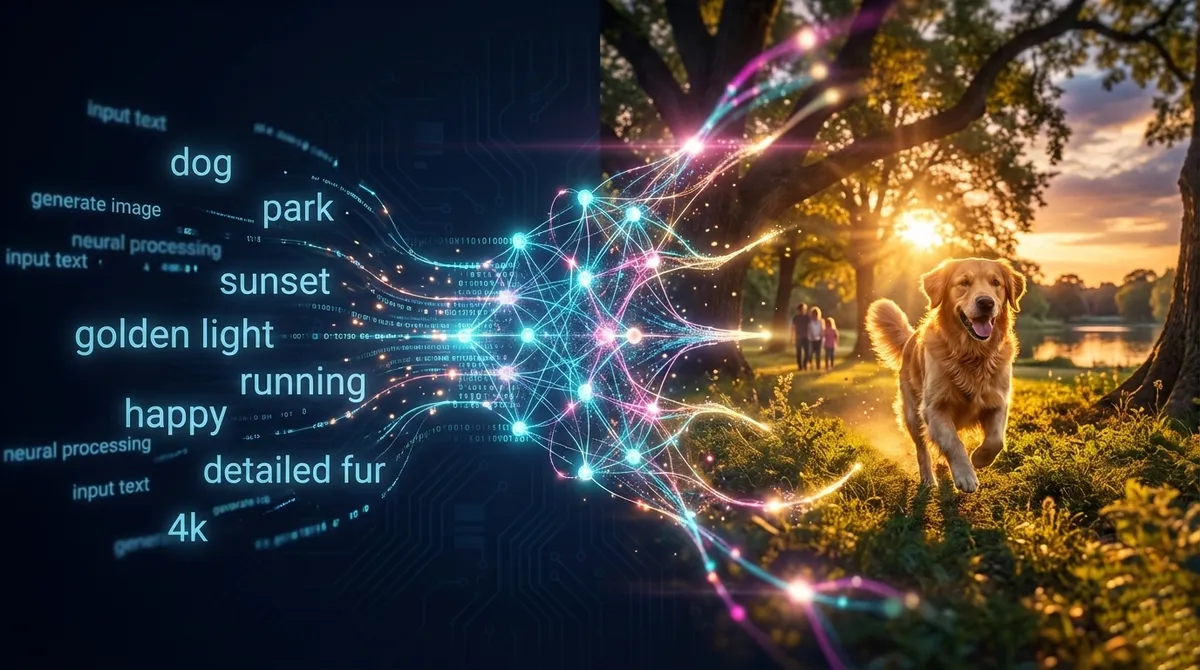
You’ve typed “a dog in a park” into an AI image generator and received a blurry, generic image that looks nothing like what you envisioned. Sound familiar? The difference between mediocre and stunning AI-generated images often comes down to a single skill: effective prompting.
AI image generation has evolved dramatically in 2024-2025, with models like Midjourney V7, DALL-E 3, Flux.1, and Stable Diffusion XL producing photorealistic results that rival professional photography. However, these powerful tools respond directly to how you communicate with them. A vague prompt yields unpredictable results, while a well-crafted prompt acts like a precise blueprint for the AI.
In this guide, you’ll learn the proven frameworks, techniques, and troubleshooting strategies used by professionals to consistently generate high-quality images. Whether you’re a designer creating marketing assets, a content creator building visual stories, or a developer integrating AI into applications, mastering prompt engineering will transform how you work with these tools.
Prerequisites
Before diving in, you should have:
- Access to at least one AI image generation platform (Midjourney, DALL-E 3, Stable Diffusion, or Flux)
- Basic familiarity with using text-based interfaces (web apps or Discord for Midjourney)
- A clear creative goal or project in mind
- Patience for experimentation and iteration
- Optional: Understanding of basic photography terms (aperture, composition, lighting)
Understanding the Prompt Structure Framework
Effective AI image prompts follow a clear hierarchy of elements. Think of prompting as constructing a sentence where each component adds specificity and guides the AI toward your vision.
The Core Formula: Subject + Description + Style + Format
This four-part framework serves as the foundation for all effective prompts:
Subject: The main focus of your image. Use concrete nouns rather than abstract concepts. Instead of “happiness,” use “smiling child” or “sunny meadow.”
Description: Context and details about your subject. Include adjectives, actions, environment, and mood. For example: “a golden retriever playing fetch in Central Park on a sunny afternoon.”
Style: The artistic approach and visual aesthetic. This can reference art movements (“impressionist painting”), famous artists (“in the style of Studio Ghibli”), or medium types (“photorealistic, 35mm film photography”).
Format: Technical specifications like framing, resolution, and aspect ratio. Examples include “close-up portrait,” “wide-angle shot,” “8K resolution,” or “16:9 cinematic frame.”
Here’s a practical example showing the difference:
Weak prompt: “dog in park”
Strong prompt: “A golden retriever catching a frisbee mid-jump in Central Park, autumn afternoon with golden hour lighting, photorealistic style, shot with 85mm lens, shallow depth of field, 4K quality”
Model-Specific Considerations
Different AI models interpret prompts differently, requiring adjusted approaches:
Midjourney V7 (as of April 2025): Prefers concise, high-signal phrases with 4-6 key descriptors. Works best with reference images and style parameters like --style raw or --ar 16:9. Example: “sleek modern smartwatch, marble table, studio lighting, 8K —ar 1:1”
DALL-E 3: Excels with conversational, paragraph-style prompts and handles multi-turn refinements well through ChatGPT. You can describe your vision naturally: “Create a professional product photo of a smartwatch. The watch should be on a white marble surface with soft shadows. Use studio lighting to create subtle reflections on the glass face.”
Flux.1 (12B parameters, 2024): Superior for photorealism and anatomical accuracy. Responds well to detailed technical descriptions. Flux.1 Pro delivers the highest quality, while Schnell prioritizes speed.
Stable Diffusion XL: Rewards structured, weighted keywords. Supports advanced controls like LoRAs (style fine-tuning), ControlNets (pose/composition guidance), and negative prompts for precise exclusion.
Advanced Prompting Techniques
Leveraging Negative Prompts
Negative prompts tell the AI what to avoid, acting as filters that prevent common artifacts and unwanted elements. They’re particularly powerful in Stable Diffusion and supported in most modern tools.
How they work: AI models assign lower weights to negatively prompted features, reducing their probability in the output. They’re soft constraints, not absolute blocks.
Common use cases:
Quality issues:
"blurry, low quality, pixelated, grainy, artifacts, noise"

Anatomical problems:
"extra fingers, deformed hands, distorted face, bad anatomy,
extra limbs, asymmetrical eyes"

Style conflicts:
"cartoon, anime, 3D render" (when wanting photorealism)

Unwanted elements:
"text, watermark, signature, logo, date stamp"
Syntax varies by platform:
- Stable Diffusion: Dedicated negative prompt field
- Midjourney:
--no text, watermarks, blur - Weighted negatives:
(extra fingers:1.5)for stronger exclusion
Example workflow:
Prompt: "Professional headshot of businesswoman, corporate office,
natural lighting"

Negative: "casual clothing, sunglasses, hat, jewelry,
distracting background, low quality, blurry"
Using Prompt Weighting and Emphasis
Weight parameters control the relative importance of different prompt elements, giving you fine-grained control over the final composition.
Stable Diffusion syntax:
(keyword:1.5)- Increase emphasis by 50%(keyword:0.7)- Decrease emphasis by 30%- Multiple modifiers:
red++equals(red:1.21)
Midjourney syntax:
desert::2 camel::1- Desert is twice as importantsubject::-0.5- Negative weight equivalent to--no
Practical application:
Without weighting:
"cyberpunk city, neon lights, rain"

With weighting (Stable Diffusion):
"cyberpunk city, (neon lights:1.4), (rain:1.2),
(people:0.6), (vehicles:0.5)"

Result: More prominent neon and rain, fewer people/vehicles
Multi-Prompt Blending for Complex Scenes
Combine multiple concepts or styles by structuring prompts in layers:
"A samurai warrior in a neon-lit Tokyo alley,
half traditional ukiyo-e woodblock print style,
half cyberpunk digital art aesthetic,
dramatic lighting, 8K detail"
This technique works especially well for:
- Style mixing (watercolor + photograph)
- Era blending (medieval + futuristic)
- Atmosphere layering (serene + ominous)
Iterative Refinement Strategy
Professional results rarely come from a single prompt. Use this systematic approach:
- Start broad: Generate with a basic prompt to establish composition
- Identify gaps: Note what’s missing or incorrect
- Add specifics: Introduce 2-3 new descriptors addressing issues
- Test variations: Change one element at a time to isolate what works
- Refine negatives: Add problematic elements to negative prompt
- Lock successful seeds: Some tools let you save random seeds that produced good results
Example progression:
V1: "portrait of woman"
→ Generic, boring result

V2: "portrait of woman, professional photo, studio lighting"
→ Better quality, still plain

V3: "professional headshot portrait of confident businesswoman,
age 35, shoulder-length brown hair, warm smile,
navy blazer, soft studio lighting, blurred office background,
shot with 85mm lens, f/2.8, slight film grain, editorial quality"
→ Specific, professional result
Practical Implementation: Real-World Scenarios
Product Photography
Goal: Create marketing images for e-commerce
Prompt template:
"Product photography of [item], [background/setting],
[lighting type], [angle/composition],
professional quality, 8K resolution, [material details]"

Example:
"Product photography of minimalist black smartwatch,
white marble surface, soft diffused studio lighting,
slight overhead angle, gentle shadows,
reflections on watch face, commercial quality,
8K resolution, brushed metal finish"

Negative: "cluttered background, harsh shadows,
lens flare, low quality, watermarks"
Character Design and Consistency
Challenge: Maintaining character appearance across multiple images
Approach:
- Create detailed character sheet first
- Save that prompt and seed
- Reference the specific image in subsequent generations
- Use consistent descriptors for key features
Character sheet prompt:
"Character design sheet of young elf ranger,
multiple angles (front, side, back),
emerald green eyes, shoulder-length silver hair with braids,
leather armor with leaf motifs, forest green cloak,
bow and quiver, fantasy art style,
white background, reference sheet layout"

Follow-up scenes:
"[Same character description], standing in ancient forest,
dappled sunlight through trees, drawing bow,
determined expression, fantasy illustration"
Artistic Styles and References
Leverage established styles:
Art movements:
"impressionist", "art nouveau", "bauhaus", "abstract expressionism"

Specific artists:
"in the style of Hayao Miyazaki", "Rembrandt lighting",
"Studio Ghibli aesthetic", "Wes Anderson color palette"

Photography styles:
"street photography", "cinematic", "documentary style",
"fashion editorial", "astrophotography"

Medium types:
"oil painting", "watercolor", "charcoal sketch",
"3D render", "pixel art", "vector illustration"
Landscape and Environment Design
Key elements for compelling scenes:
"Photorealistic landscape of Norwegian fjord at sunset,
dramatic mountain peaks reflected in still water,
small fishing village with red houses on shoreline,
golden hour lighting with pink and orange sky,
wispy clouds, ultra-detailed,
shot with wide-angle lens, 8K quality,
nature photography style"

Enhancement specifics:
- Time of day affects mood dramatically
- Weather conditions add atmosphere
- Perspective (aerial, ground-level, worm's eye)
- Seasonal details anchor the scene
Common Pitfalls and Troubleshooting
Anatomical Errors (Hands, Faces, Bodies)
Problem: Extra fingers, distorted proportions, impossible joint positions
Solutions:
- Use negative prompts:
"bad anatomy, extra fingers, deformed hands, distorted face" - Reference specific counts: “hand with five fingers” (though results vary)
- Try ControlNet with pose reference images (Stable Diffusion)
- For Flux.1: Generally handles anatomy better than predecessors
- Generate multiple versions and select best anatomically
Advanced fix: Use inpainting tools to regenerate only the problematic area while keeping the rest intact.
Text Rendering Issues
Problem: Garbled, unreadable text in generated images
Solutions:
- Use specialized models: Ideogram excels at text rendering
- Keep text short and simple in prompt: “sign that says ‘COFFEE’”
- Specify font characteristics: “clear bold sans-serif text”
- Add to negative prompt:
"blurry text, illegible writing, garbled letters" - Alternative: Generate without text, add it in post-processing
Inconsistent Quality or Style
Problem: Results vary wildly between generations
Solutions:
- Lock seed values when you get good results
- Be more specific in your prompt - vague = variable
- Check that style descriptors aren’t contradicting
- Use same model version (models update frequently)
- Save successful prompts in a library for reuse
Unwanted Elements Appearing
Problem: Random objects, floating heads, unexpected content
Solutions:
- Strengthen your primary subject description
- Use negative prompts for specific unwanted items
- Review for ambiguous words that AI might misinterpret
- Be explicit about composition: “centered subject, simple background”
- Test on lower resolution first to save credits
Prompt Too Complex or Conflicting
Problem: AI ignoring parts of prompt or producing incoherent results
Solutions:
- Simplify: Start with core concept, add details incrementally
- Remove contradictions: Can’t be both “night” and “bright sunny day”
- Limit to 3-5 main ideas per prompt
- Use proper punctuation and structure
- Test individual elements separately first
Resolution and Detail Issues
Common resolutions by use case:
- Social media posts: 1080x1080 (Instagram), 1080x1920 (Stories)
- Website headers: 1920x1080 or 2560x1440
- Print materials: 3000x2000 minimum
- Product mockups: 1024x1024 or higher
Detail enhancement:
Add quality modifiers:
"highly detailed, sharp focus, professional quality,
8K resolution, crystal clear, intricate details"

Negative quality filters:
"blurry, low resolution, pixelated, out of focus,
low quality, artifacts"
Best Practices and Pro Tips
Build a Prompt Library
Maintain a personal collection of successful prompts:
- Categorize by use case (portraits, landscapes, products)
- Note which model and settings were used
- Document what worked and what didn’t
- Version control your prompts as you refine them
Start with Research
Before generating:
- Look at similar images for inspiration
- Note specific visual elements you want to replicate
- Check what prompts others used for similar results
- Understand your target model’s strengths
Batch Testing
Generate variations efficiently:
- Test 4-8 images with slight prompt variations
- Change one variable at a time
- Compare results systematically
- Document which changes produced best outcomes
Leverage Community Resources
- Midjourney: Browse community feed, /describe command for reverse engineering
- Stable Diffusion: Civitai for models and prompts
- DALL-E: OpenAI community forums
- Cross-platform: PromptHero, Lexica.art for prompt databases
Balance Creativity and Control
- Too vague: Unpredictable results, requires many iterations
- Too specific: Can conflict with AI’s interpretation
- Sweet spot: Clear vision with room for AI creativity
Example spectrum:
Too vague: "nice picture"
Too specific: "portrait exactly 512x512 pixels with
precisely 3 birds in sky at 45-degree angles..."
Balanced: "portrait of elderly fisherman, weathered face,
coastal town background, natural lighting,
documentary photography style"
Consider Aspect Ratios Early
Different platforms handle aspect ratios differently:
- Midjourney:
--ar 16:9,--ar 1:1,--ar 4:5 - DALL-E 3: Square (1024x1024), Wide (1792x1024), Tall (1024x1792)
- Choose format based on final use before generating
Use Reference Images When Available
Many tools support image inputs:
- Midjourney: Paste image URL, add prompt for modifications
- Stable Diffusion: img2img mode with strength parameter
- DALL-E: Editing mode for inpainting specific areas
Understand Ethical Considerations
- Avoid generating images of real, identifiable people without consent
- Respect copyright: Don’t try to replicate specific copyrighted characters/IPs
- Consider potential misuse (deepfakes, misleading content)
- Many platforms have content policies - review them
- Use watermarking or metadata for transparency when sharing AI art
Conclusion
Mastering AI image generation prompting is fundamentally about learning a new visual language. The gap between “person in room” and “portrait of elderly craftsman in weathered workshop, golden hour light streaming through dusty window, shallow depth of field, 85mm lens, Rembrandt lighting, editorial quality” represents not just more words, but precise communication of your creative vision.
The key takeaways for effective prompting:
- Structure matters: Subject + Description + Style + Format provides a reliable foundation
- Model awareness: Understand your tool’s strengths and preferred prompt styles
- Negative prompts: Equally important as positive - they prevent common failures
- Iterate systematically: Change one element at a time to learn what works
- Build your library: Document successful prompts for future reuse
As AI models continue evolving, the fundamental principles remain: specificity, clarity, and understanding how to communicate visual concepts through text. Midjourney V7’s Draft mode, DALL-E’s improved prompt adherence, and Flux’s anatomical accuracy all point toward a future where the barrier between imagination and realization grows thinner.
Start with the basics, experiment freely, and remember that even professionals generate dozens of variations before finding the perfect result. The most powerful tool isn’t the AI model itself—it’s your ability to clearly articulate what you envision.
Next steps:
- Generate 20 images using the frameworks from this guide
- Join community forums for your chosen platform
- Study prompts from images you admire
- Experiment with one advanced technique per week
- Build your personal prompt library
References:
-
LetsEnhance - “How to write AI image prompts like a pro” - https://letsenhance.io/blog/article/ai-text-prompt-guide/ - Current best practices for prompt structure across major platforms, model-specific techniques (October 2025)
-
V7 Labs - “The Ultimate Guide to AI Prompt Engineering” - https://www.v7labs.com/blog/prompt-engineering-guide - Comprehensive prompting fundamentals, reference image usage, and example workflows (2025)
-
Latestly.ai - “Prompt Engineering Tricks for Image Generation Models” - https://www.latestly.ai/p/prompt-engineering-tricks-for-image-generation-models-2025-guide - Advanced techniques including multi-prompt blending, aspect ratio control, negative prompting strategies (August 2025)
-
Obot AI - “AI Image Generation: Tools, Technologies & Best Practices” - https://obot.ai/resources/learning-center/ai-image-generation/ - Industry best practices, iterative generation strategies, diffusion model mechanics (July 2024)
-
Leonardo.Ai - “How to Write Effective AI Image Prompts” - https://leonardo.ai/news/ai-image-prompts/ - Detailed guide on negative prompts, camera angles, professional vocabulary, avoiding contradictions (November 2025)
-
ArtSmart.ai - “What Are Negative Prompts in AI Image Generation” - https://artsmart.ai/blog/how-negative-prompts-work-in-ai-image-generation/ - Technical explanation of how negative prompts work, weighting syntax, platform differences (July 2025)
-
DigitalOcean - “Understanding AI Image Generation: Models, Tools, and Techniques” - https://www.digitalocean.com/community/tutorials/understanding-ai-image-generation-models-tools-and-techniques - Deep dive into diffusion models, control mechanisms, tool comparison (March 2025)
-
God of Prompt - “10 AI Image Generation Mistakes 99% Of People Make” - https://www.godofprompt.ai/blog/10-ai-image-generation-mistakes-99percent-of-people-make-and-how-to-fix-them - Common errors and solutions, composition tips, quality optimization
-
Beebom - “Flux vs Midjourney: Is There a New AI Image Generator Champ?” - https://beebom.com/flux-vs-midjourney-tested/ - Comparative testing of Flux.1 and Midjourney V6.1, photorealism assessment, pricing analysis (October 2025)
-
G2 - “I Tested Midjourney vs. DALL·E to Find the Best AI Image Generator” - https://learn.g2.com/midjourney-vs-dall-e - Head-to-head comparison, prompt interpretation differences, feature analysis (August 2025)